HVAC software that helps you stay on top of every job
Running service calls is enough work on its own. You shouldn't also have to chase down customer notes, figure out which quotes are waiting, or rebuild an invoice after a long day. DuroWork keeps those details together so you and your crew know what happens next.
Sound familiar?
A customer calls about the AC unit you serviced in June. Your tech needs the address, your office needs the estimate, and the customer wants an update.
DuroWork gives your team a place to find the job and customer details without hunting through texts and paperwork.
One place for the work that happens before and after the repair
Whether you're working solo or managing a small crew, your daily work should be easier to follow.
Know your customers
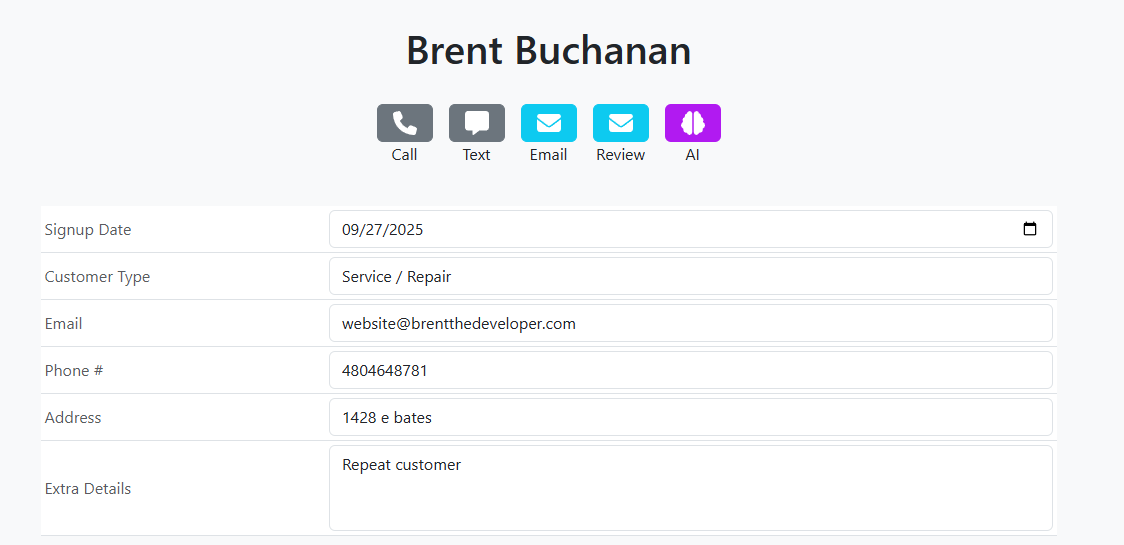
Keep contact information, service history, notes, photos and estimates connected, so the next call doesn't start from scratch.
Explore customer managementKeep the schedule and jobs straight
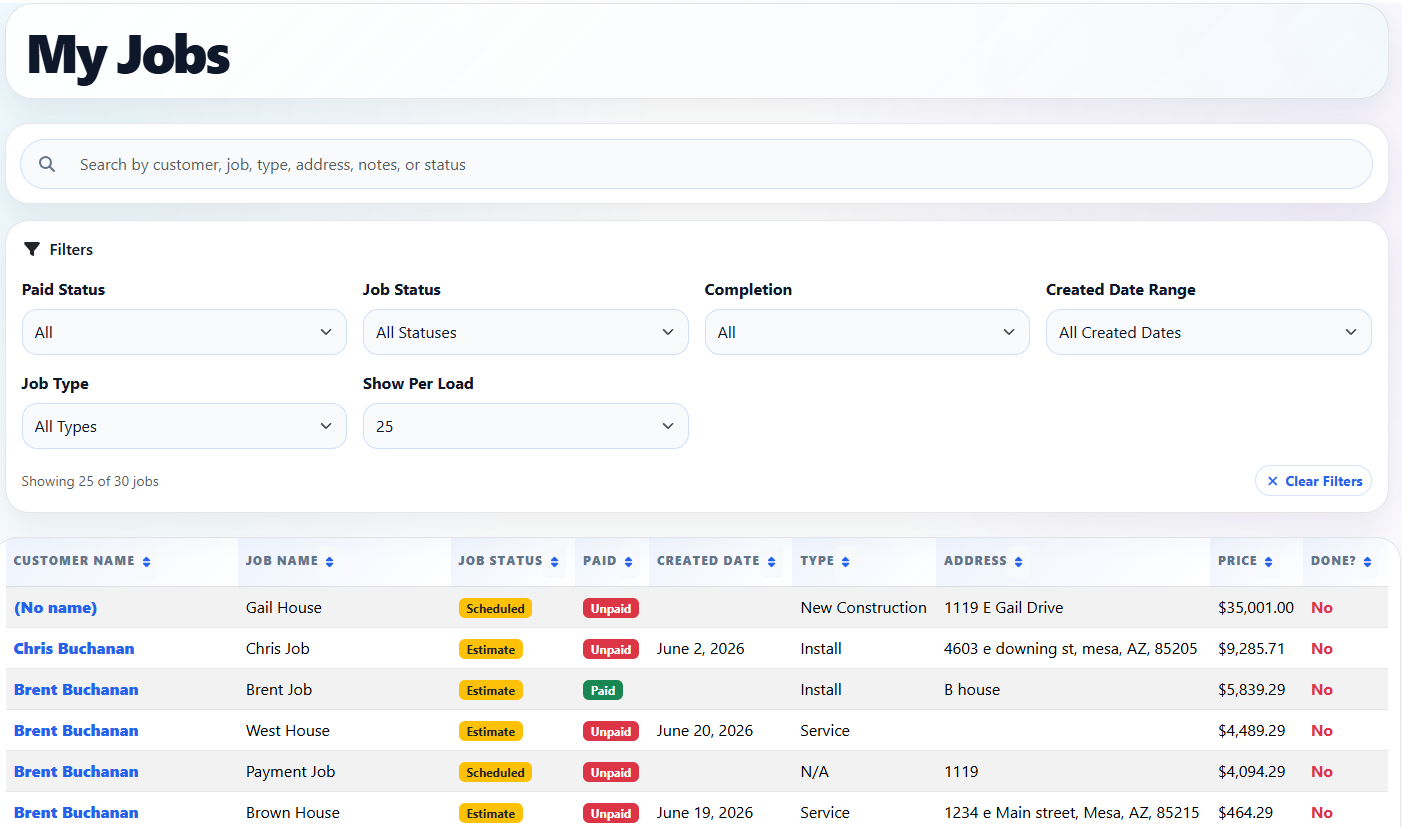
See what needs doing, who's assigned, and which jobs have been finished. Your office and crew can work from the same job details.
Explore job trackingQuote the work and send the invoice
Keep estimates and invoices tied to the job instead of copying information between tools.
See estimates and quotesDon't forget the follow-up
Stay in touch after the visit. Keep track of follow-up opportunities, customer messages, and review requests.
See customer follow-up toolsTake a look inside DuroWork
These are real screens from the product, so you can see how customer details and day-to-day jobs are organized.
Picture a busy Tuesday
Look up the address, service notes and past work before you head out.
Keep the job notes, photos and services together, ready for the office.
Send the invoice, check payment status, and make time for the next customer.
Questions small HVAC owners ask
Is DuroWork only for HVAC companies?
No. DuroWork works for different service contractors, but we're focusing on the everyday needs of small HVAC crews here.
Do I need to know anything about software?
No special vocabulary required. DuroWork is designed around familiar things like customers, jobs, schedules, estimates and invoices.
Will it work for a small team?
That's exactly the kind of business we're building for: owners who still work jobs, office staff juggling calls, and small teams that need shared information.
Where can I learn more about HVAC workflows?
Our guide to affordable HVAC software explains what a new or growing business should look for.
Spend less time tracking down details
See how DuroWork brings your HVAC jobs, customers and office work together.
Get StartedWant to compare options first? See pricing.